Really Illegal Golf PC System Requirements
Minimum Steam PC specs for the demo and full game page, plus stealth-focused performance advice.
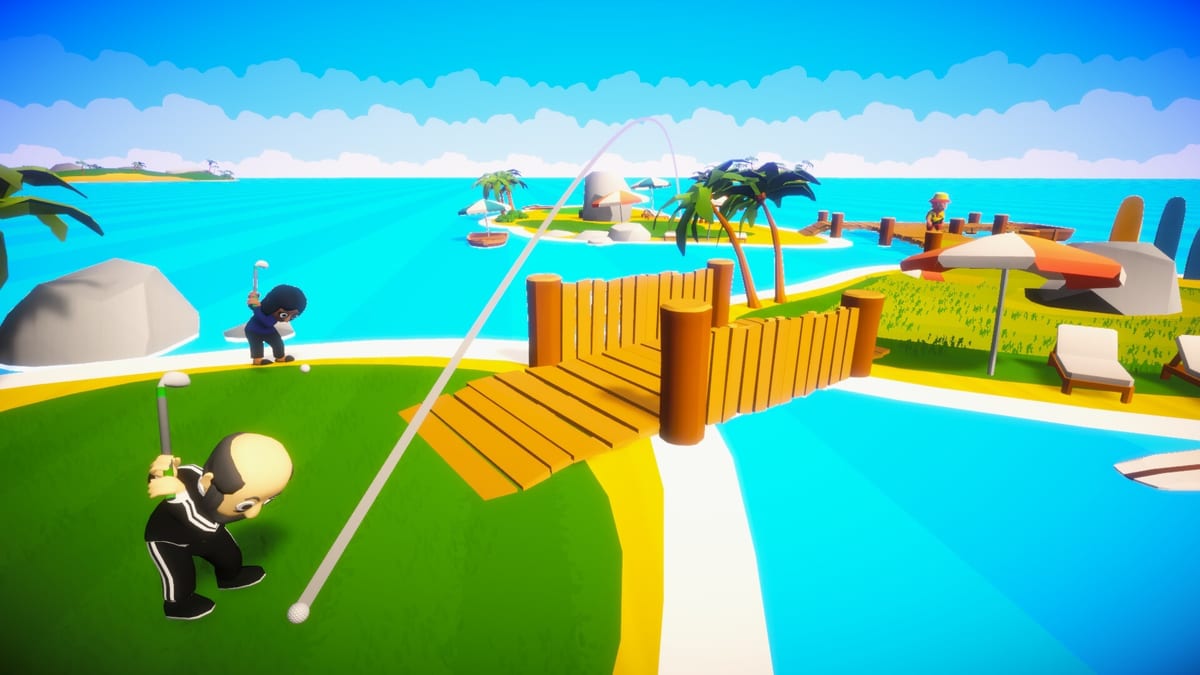
Really Illegal Golf is a Steam PC game from Pushlab Games and No More Robots. The free demo (app 4184150) and the full game store page (app 4115520, planned Q1 2027) share the same practical hardware conversation: can your machine keep vision cones, cameras, and guard silhouettes readable while you line up an illegal putt? This page collects the published-style minimum baseline, storage expectations, Steam Deck uncertainty, and performance tips that matter more for stealth than for racing titles.
Return to the Controls hub for input setup. Install and wishlist steps live on the Demo Hub.
Minimum PC specifications
Use this table as your go / no-go checklist before a nine-hole night. Exact Steam copy can gain patch notes later; these are the working floors this wiki tracks for planning.
| Component | Minimum |
|---|---|
| OS | Windows 10 |
| Processor | Intel Core i5-6500 or AMD Ryzen 5 1600 |
| Memory | 8 GB RAM |
| Graphics | NVIDIA GeForce GTX 1060 or AMD Radeon RX 580 |
| Storage | 2 GB available space |
| Network | Broadband internet for online multiplayer |
Reading the table honestly
- CPU: The i5-6500 / R5 1600 band is about steady simulation and streaming assets around a night course, not about esports frame chasing.
- RAM: 8 GB is the floor. Close browser heaps and overlay bloat if you live near that line, especially in co-op.
- GPU: GTX 1060 / RX 580 class means you should expect medium-leaning settings, not ray-traced flex. Prioritize clarity.
- Storage: 2 GB is modest, but leave headroom for Steam shader caches and Windows pagefile behavior on smaller SSDs.
- OS: Plan on Windows 10 or newer for the supported Steam PC path.
If you are under a row, try the demo anyway only with expectations managed—then wishlist 4115520 when you know you will upgrade before Q1 2027.
Recommended mindset vs raw “ultra”
Stealth golf fails differently than shooters. A slightly softer shadow is fine. A stutter that hides a camera sweep is not. Target:
- Stable presentation while moving along cone edges.
- Readable character outlines under floodlights.
- Predictable frame pacing during smoke pops and taser windows.
- Enough headroom that Discord overlay + Steam overlay do not tank hitching mid-putt.
Cap framerate to a number your GPU holds. Consistency beats a 120 FPS average that dips to 40 when four players throw coins.
Steam Deck and handhelds
Steam Deck verification status is unknown for Really Illegal Golf at the time this page was written. That is not a “no.” It is a “do not promise Proton perfection.” If you experiment on Deck or similar handhelds:
- Start on low-medium presets and 40 or 60 FPS caps.
- Test sleep/resume around multiplayer sessions.
- Confirm controller glyphs match the Steam Input layout you expect.
- Keep a desktop PC clear as your reference for Demo walkthrough practice if Deck hitching confuses whether a fail was stealth or performance.
We will update this section when official Deck tags or credible community verification land. Track wider news on the Updates hub.
Storage and install hygiene
Two gigabytes sounds tiny until a drive is already 98% full. Before installing demo 4184150:
- Free more than 2 GB so updates do not fail mid-patch.
- Prefer SSD over HDD for hitch reduction when streaming night-course assets.
- Avoid installing to flaky external drives for co-op nights.
- After big graphics driver upgrades, allow a clean first launch for pipeline rebuilds.
Performance tips aimed at stealth
1. Frame pacing over peak FPS
Reading vision cones is a comprehension task. If frames arrive in uneven bursts, your brain mis-times a crossing that was actually safe. Use a frame cap, turn off experimental “boost” modes that cause oscillation, and prefer settings that hold a line.
2. Prioritize contrast and effects you look through
Smoke is a gameplay tool. If post-processing turns smoke into an opaque white wall on your monitor, lower film grain / harsh bloom before you lower draw distance. You need to understand what the cloud bought you.
3. Shadows and outlines
Guards and cameras hide in value, not only in polygons. Medium shadows with clear character readability often beat ultra shadows that crush silhouettes into the hedges.
4. Multiplayer overhead
Online co-op and PvP add CPU and network work. If solo feels fine but four-player nights hitch, lower crowd-facing settings, close background downloads, and wire up if Wi-Fi packet loss is creating rubber-band steals on interacts. Role plans on Multiplayer loadouts will not save a 200 ms spike.
5. Thermals are stealth mechanics
Laptops that thermal throttle mid-hole create fake “I got greedy” stories. Elevate intake, use a power plan that does not silently drop GPU clocks, and avoid soft surfaces that block vents during long sessions.
6. Drivers and overlays
Keep GPU drivers reasonably current. Disable exotic overlays one by one if you see hitching only when recording. Clip software loves to hitch exactly when a grenade joke happens.
Troubleshooting ladder
- Verify Steam file integrity on the demo.
- Confirm you meet the table above.
- Cap FPS and lower one setting category at a time.
- Retest a known camera nest hole—not a random freestyle night.
- Re-check bindings on the Controls hub so you are not blaming GPU for input lag.
- Only then chase speculative fixes from random threads.
How specs connect to loadouts
Low-end machines still clear the demo if you play information-first kits: smoke, coins, Silhouette. High-variance grenade comedy is easier to enjoy when the GPU is calm. Rank tools on the Gear Tier List Hub and perks on Perks with your hardware honesty in mind.
Pre-flight checklist
- Windows 10 or newer installed and updated enough for modern Steam.
- CPU at or above i5-6500 / R5 1600 class.
- 8 GB RAM free enough to actually allocate.
- GTX 1060 / RX 580 class GPU with a stable driver.
- 2 GB+ free storage on a reliable disk.
- Demo 4184150 installed; full game 4115520 wishlisted for Q1 2027.
- Controls verified; cones readable at your chosen settings.
Meet the floor, keep the image stable, and let Really Illegal Golf punish your greed—not your laptop fans.
Frequently Asked Questions
Quick answers for stealth golfers who just got banned.
What are the minimum specs for Really Illegal Golf?
Windows 10, i5-6500 or Ryzen 5 1600, 8 GB RAM, GTX 1060 or RX 580, and about 2 GB storage, with internet for online multiplayer.
Is Really Illegal Golf verified on Steam Deck?
Status is unknown here. Experiment carefully with FPS caps and medium-low settings, but do not assume a perfect Proton experience yet.
How much storage do I need for the demo?
Plan for at least 2 GB free, plus spare room for updates and shader cache so installs do not fail on nearly full drives.
What settings matter most for stealth?
Stable frame pacing and readable cones/outlines matter more than ultra presets. Cap FPS to a rate your GPU can hold.
Where do I download the demo after checking specs?
Install Really Illegal Golf Demo on Steam app 4184150 via the Demo Hub, then wishlist full game 4115520.