Really Illegal Golf Controls and Input Hub
Set up Steam demo inputs, understand controller support, and keep historical itch prototype notes in context.
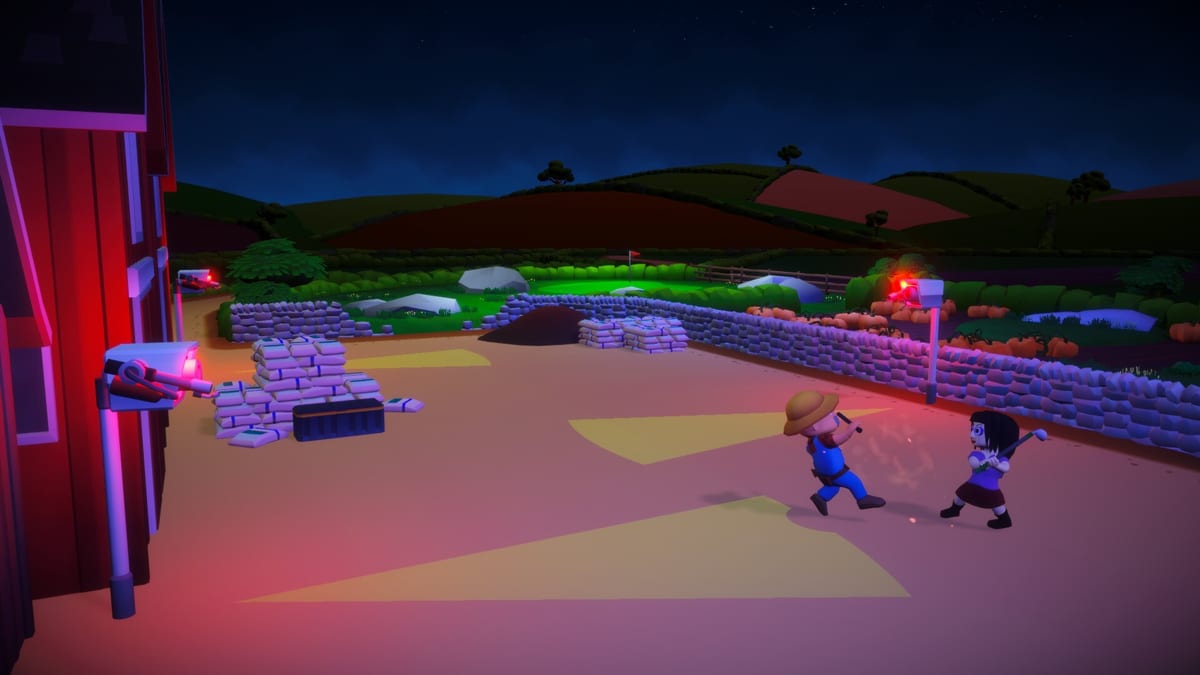
Really Illegal Golf asks your hands to do two jobs at once: play golf and commit stealth. Bad bindings turn vision-cone puzzles into controller fights. This Controls Hub covers what the Steam demo advertises for input, how to treat older itch.io prototype mouse notes as history rather than gospel, and when to open the in-game rebind screen before you blame the course. Pair it with System requirements so hardware and input are not troubleshooting each other in circles.
For the fantasy and feature list, see the Wiki overview. For first-night habits after controls feel good, continue to Getting Started.
Steam demo: full controller support
The Steam build—demo app 4184150, full game page 4115520—is the version this wiki assumes you are playing. Pushlab Games and No More Robots list full controller support for the Steam experience. That matters because stealth golf is camera-relative and timing heavy: analog movement, a clear interact/confirm mental model, and accessible club switching beat fighting a mismatched mouse script from an older build.
Practical Steam setup checklist:
- Connect your pad before launching the demo so Steam Input can attach cleanly.
- Launch Really Illegal Golf Demo from your library.
- Open Options and confirm the game sees the controller.
- Walk a practice swing and an interact prompt before hole one—verify look, move, confirm, cancel, and club change.
- If anything feels inverted or sluggish, rebind in-game first, then adjust Steam Input overlays only if needed.
- On multi-user PCs, check that the correct Steam account owns the demo install you expect.
Controllers shine when you are reading patrol arcs and making small positional corrections without lifting your thumbs. Keyboard and mouse remain valid; the important part is finishing a nine-hole night without fighting the HUD.
Historical note: itch prototype mouse controls
Before the Steam demo era, Really Illegal Golf existed as a smaller prototype lineage tied to jam energy (including Sweet As Jam 2025 roots covered on the Updates hub). Community notes from that itch-era prototype often mention a simple mouse scheme:
- Left mouse button — move / interact
- Right mouse button — cancel
- Scroll wheel or arrow keys — change club
Treat that list as historical prototype documentation, not a guarantee of the current Steam demo bindings. Prototypes iterate. Steam builds add options menus, controller maps, and quality-of-life that jam builds never shipped. If a guide somewhere still quotes only LMB/RMB/scroll, cross-check in your build before you memorize muscle memory.
Why we keep the note anyway:
- Players returning from the prototype deserve a translation layer.
- It explains why some screenshots and videos feel input-different.
- It reinforces the rule: always verify in your installed build.
Recommend: rebind for the Steam demo
Do not suffer default layouts out of stubbornness. Rebind when:
- Confirm and cancel sit on awkward shoulders for your pad.
- Club switching fights how you think about shot selection mid-stealth.
- You play mixed sessions with friends who call outs based on different layouts.
- You alternate between mouse and controller and need consistent confirm logic.
Rebind philosophy for stealth golf:
- Keep cancel unreachable by accident during tense puts.
- Keep club change fast enough that gear thoughts (smoke, taser, coins, grenades) stay in your brain, not in your fingers.
- Keep interact distinct from camera motions so you never open a wrong prompt while tracking a guard.
After rebinding, play one quiet hole from Demo walkthrough style pacing—or simply hole 1—before inviting co-op chaos from Multiplayer.
Input tips that play like stealth tips
- Pause analog drift before you peek a corner; tiny sticks still move cones into you.
- When using smoke windows, decide the stick path before you pop the tool.
- In co-op, standardize callouts (“I’m on taser,” “club up”) so input differences do not sound like strategy differences.
- If frame pacing is uneven, prioritize readable cones over max settings—see System requirements.
Accessibility and comfort
Long night courses punish claw grips and high deadzones. Lower stick deadzones carefully until micro-adjustments work without jitter. Increase UI scale if prompts are easy to miss under floodlight art. Colorblind players should test how vision indicators read on their display early; stealth games hide information in hue as much as shape.
Where controls meet loadouts
Your hands should match your kit. Sprint mains need comfortable dash-adjacent movement. Silhouette players need precise creep. Physicist players need club switching that does not break aim flow. Rank those identities on Perks and Gear Tier List Hub, then bind so the fantasy is one motion away.
Quick troubleshooting
| Symptom | Try this first |
|---|---|
| Pad not detected | Replug, relaunch demo, check Steam Input |
| Mouse feels “prototype weird” | Open in-game binds; ignore old itch charts |
| Accidental cancels | Move cancel off easy bumpers |
| Slow club swaps | Rebind scroll/shoulders; practice offline |
| Co-op desync blame | Confirm everyone is on the Steam demo build |
Install facts stay on the Demo Hub. Specs stay on System requirements. Once inputs disappear from your thoughts, the illegal golf can finally begin.
Frequently Asked Questions
Quick answers for stealth golfers who just got banned.
Does the Steam demo support controllers?
Yes. The Steam version advertises full controller support. Confirm bindings in the in-game options after launch.
Are the itch prototype mouse controls still exact?
Treat LMB move/interact, RMB cancel, and scroll/arrows club change as historical prototype notes. Always verify in the current Steam demo.
Should I rebind before my first nine holes?
If confirm, cancel, or club switch feel awkward during a practice swing, rebind immediately before bad muscle memory sticks.
Keyboard and mouse or controller?
Both are valid. Controllers often feel natural for analog stealth movement; use whichever lets you read vision cones calmly.
Where do I check PC specs related to control feel?
Use the System requirements page. Stable frame presentation helps more than raw settings when you are reading guard cones.